
How To Access Easy Website Builder (Sitejet)
Launch a beautiful website instantly right from your Plesk panel, no coding or design skills required
- Login to the Client Area
- Click on Product / Services
- Click View on the product you wish to manage
- Click Login To Plesk
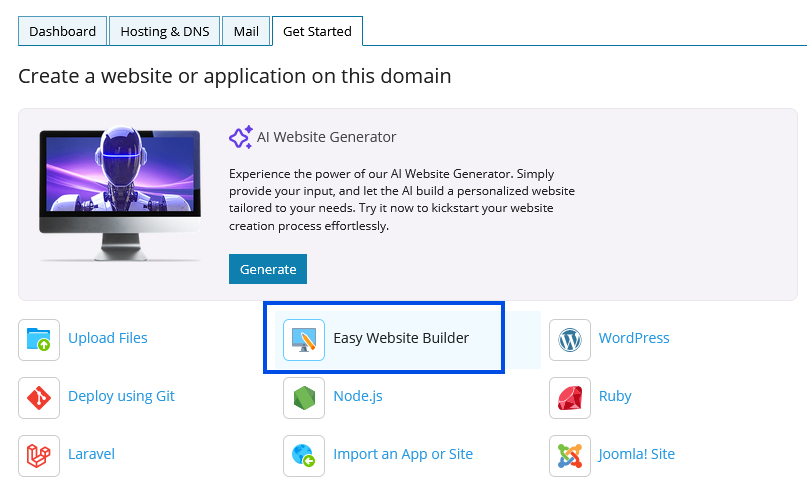
- Click the Get Started tab
- Click Easy Website Builder as shown in the screenshot below
For a detailed guide to getting started with Sitejet you can refer to this official tutorial.
Building Your First Sitejet Website