
How To Access Easy Website Builder (Sitejet)
Launch a beautiful website instantly right from your Plesk panel, no coding or design skills required.
1) Log in to your DDNS Client Area (https://www.ddns.com.au/index.php?rp=/login).
2) Click on Products then on the site you would like to change, click "View" then "Login/Manage Plesk"
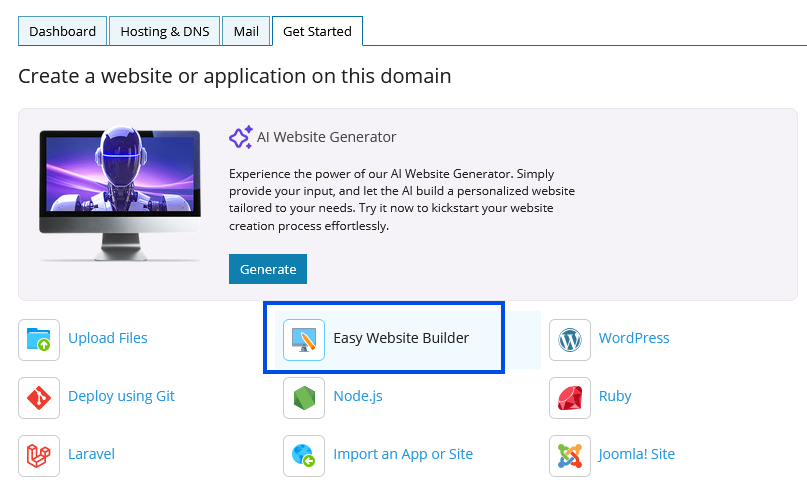
3) Click the "Get Started" tab.
4) Click Easy Website Builder as shown in the screenshot below.
For a detailed guide to getting started with Sitejet you can refer to this official tutorial.
Building Your First Sitejet Website